

Kanban
Kanban shows one column per status — Not Started, In Progress, any custom statuses and Completed.
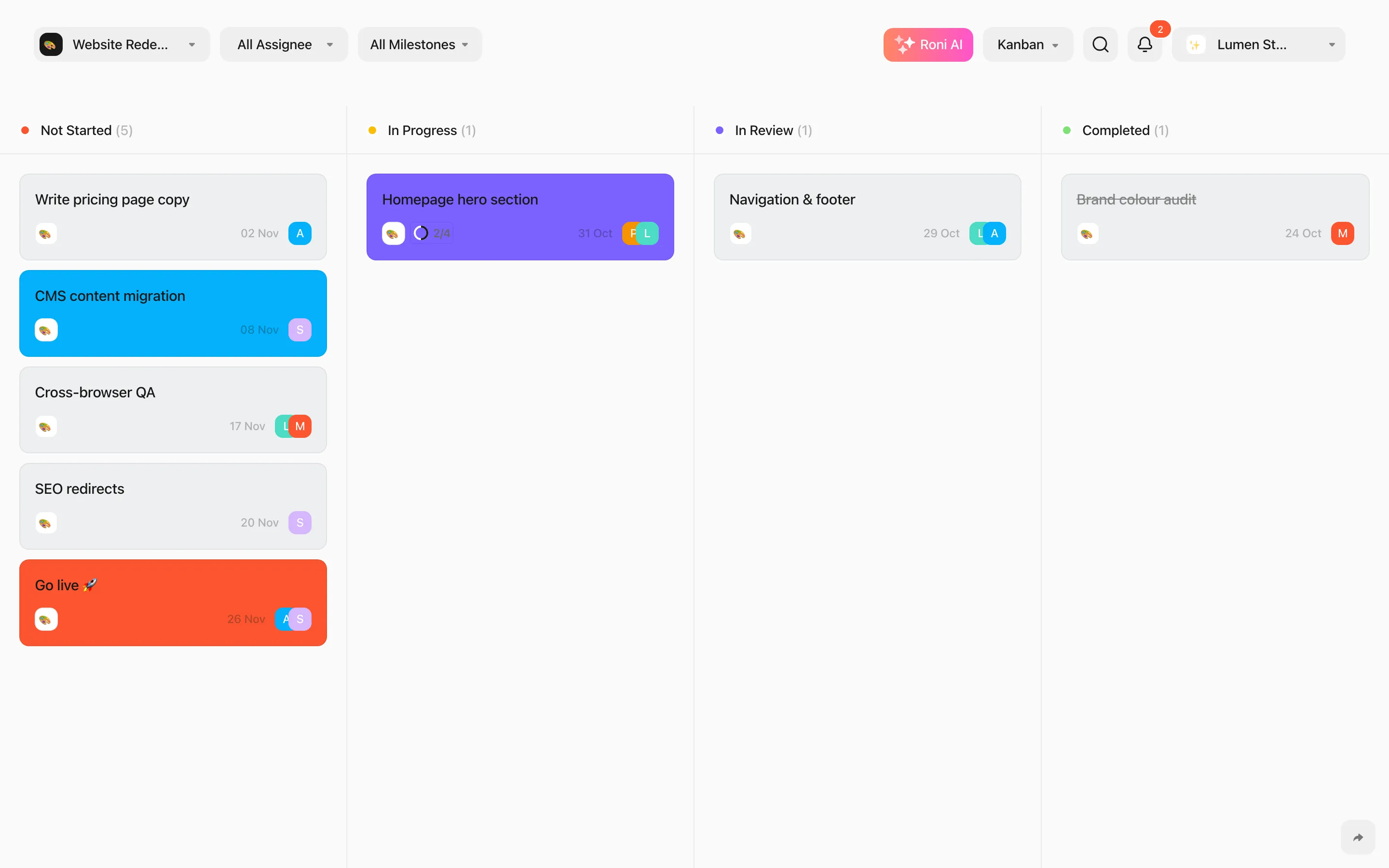
- Drag a card to another column to change its status. It keeps its place in the order.
- Drag within a column to reorder.
- Add task at the bottom of a column creates a task with that status.
- Select several cards with X and drag one of them to move them all. See Select & bulk actions.
Cards show the project, subtask progress, dates and assignees. When a teammate is dragging a card, you see it framed in their colour with their name.