

Descriptions & files
Writing a description
Section titled “Writing a description”The description editor supports headings, lists, checklists, links, code blocks, quotes and collapsible sections. Select text to get a formatting toolbar (bold, italic, underline, strikethrough and link).
Type / to open the Insert block menu:
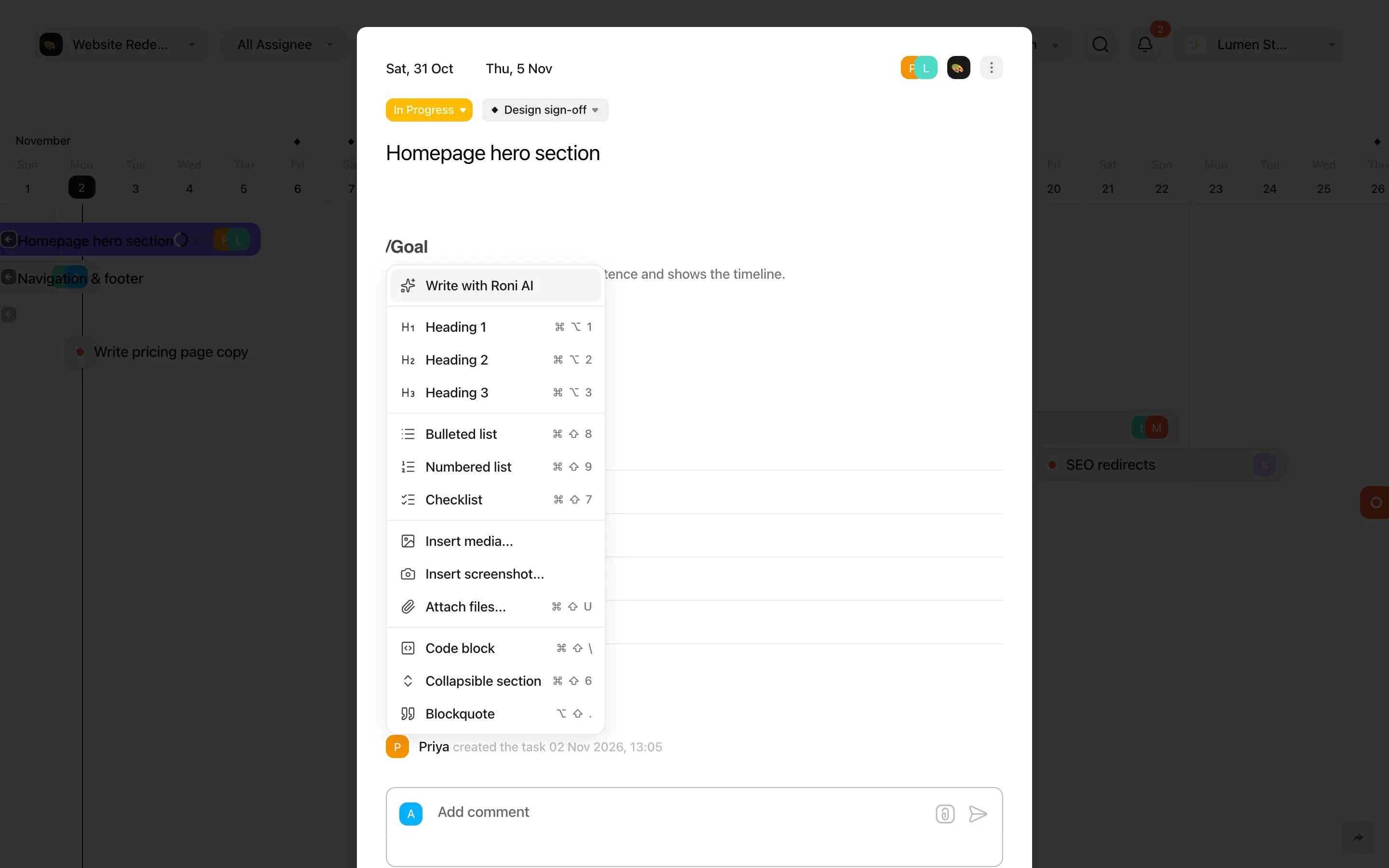
| Item | What it inserts |
|---|---|
| Write with Roni AI | A drafted description plus suggested subtasks you can pick from. Counts towards your Roni AI quota. |
| Heading 1 / 2 / 3 | Section headings |
| Bulleted list / Numbered list / Checklist | Lists |
| Insert media… | An image or video |
| Insert screenshot… | A capture of a screen or window |
| Attach files… | Files as download cards |
| Code block / Collapsible section / Blockquote | Formatting blocks |
Attaching files
Section titled “Attaching files”Drag files into the description or a comment, or paste them with ⌘ V. You can attach up to 20 files at once. Each file appears as a card you can download, copy a link to or delete.
| Free | Pro | |
|---|---|---|
| Maximum file size | 5 MB | 150 MB |
| Total storage | 200 MB | Unlimited |
All files in a project are also listed in the project’s settings under Files.
Viewing images
Section titled “Viewing images”Click an image to open the viewer. Use ← / → to browse, + / − (or Ctrl + mouse wheel) to zoom, 0 to reset and Esc to close. The viewer also has a download button.