Press ⌘ ⇧ ? (Ctrl ⇧ ? on Windows) to open the shortcuts panel inside Roni.
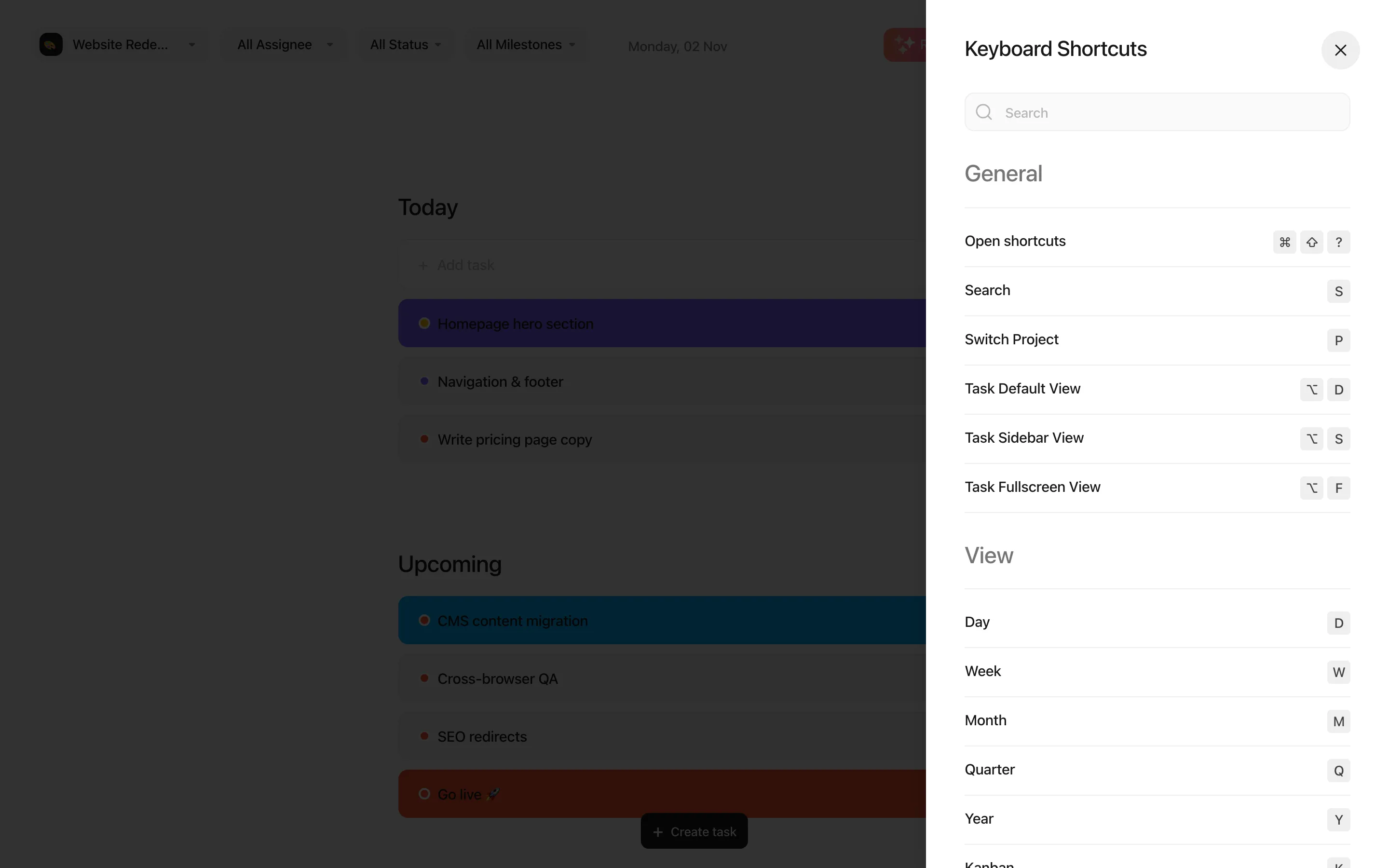
Single-letter shortcuts don’t fire while you are typing in a field or while a dialog is open.
| Shortcut |
Action |
| S |
Search tasks, or jump to an action (create a task, add a member, create a project) |
| P |
Switch to the next project in the project filter |
| ⌥ D / ⌥ S / ⌥ F |
Open tasks as a window, in a side panel or full screen |
| Shortcut |
View |
| D |
Today |
| W |
Week |
| M |
Month |
| Q |
Quarter |
| Y |
Year |
| K |
Kanban |
| L |
List |
| A |
Calendar |
| Esc |
Show or hide the timeline side panel |
| Shortcut |
Action |
| C |
Create a task |
| N |
Jump to the quick-add field (Today) |
| X |
Select the task under the mouse pointer |
| Esc |
Clear the selection |
| ← / → |
Previous / next task while a task is open |
| U / R |
Undo / redo a date change on the timeline |
| ⌘ Enter |
Send a comment |
| Shortcut |
Action |
| / |
Open the insert menu |
| ⌘ ⇧ 7 |
Checklist |
| ⌘ ⇧ 8 |
Bulleted list |
| ⌘ ⇧ 9 |
Numbered list |
| ⌘ ⇧ 6 |
Collapsible section |
| ⌘ ⇧ U |
Attach files |
| Tab or → |
Accept the suggested task title |
| Shortcut |
Action |
| ← / → |
Previous / next image |
| + / − / 0 |
Zoom in / zoom out / reset |
| Esc |
Close |

