

Select & bulk actions
Select tasks
Section titled “Select tasks”Hover over a task and press X. Press X on other tasks to add them to the selection, or on a selected task to remove it. Selection works in Today, List, Kanban and the timeline views.
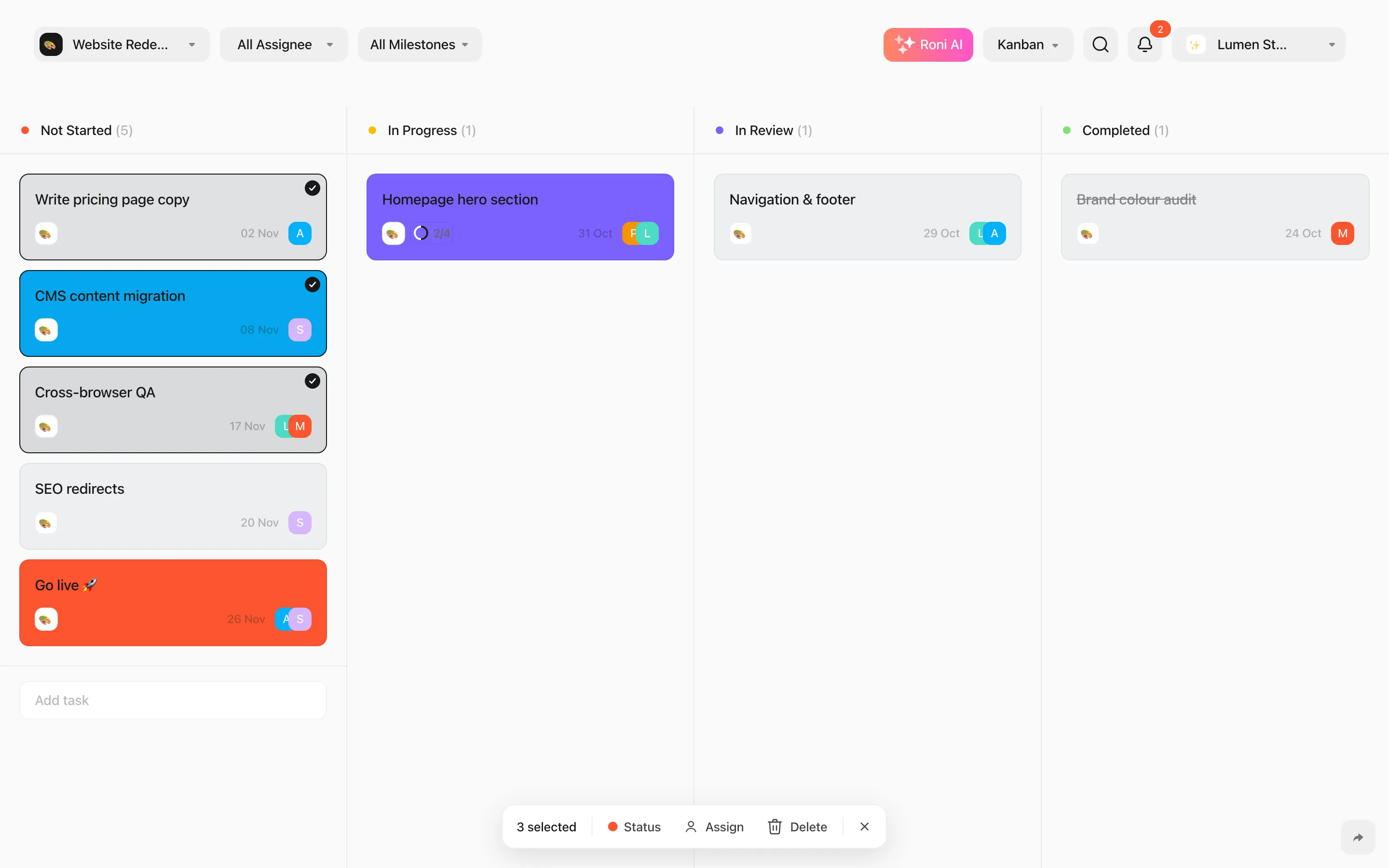
The action bar
Section titled “The action bar”When tasks are selected, a bar appears at the bottom showing how many are selected:
- Status — set the same status on all of them.
- Assign — assign people to all of them. Available when all selected tasks belong to the same project.
- Delete — move them to Trash, with Undo.
- Clear selection — or press Esc.
You can act on up to 200 tasks at a time.
Drag several tasks
Section titled “Drag several tasks”On the Kanban board and the timeline, dragging one selected task moves all selected tasks together — to a new status column, or by the same number of days.